


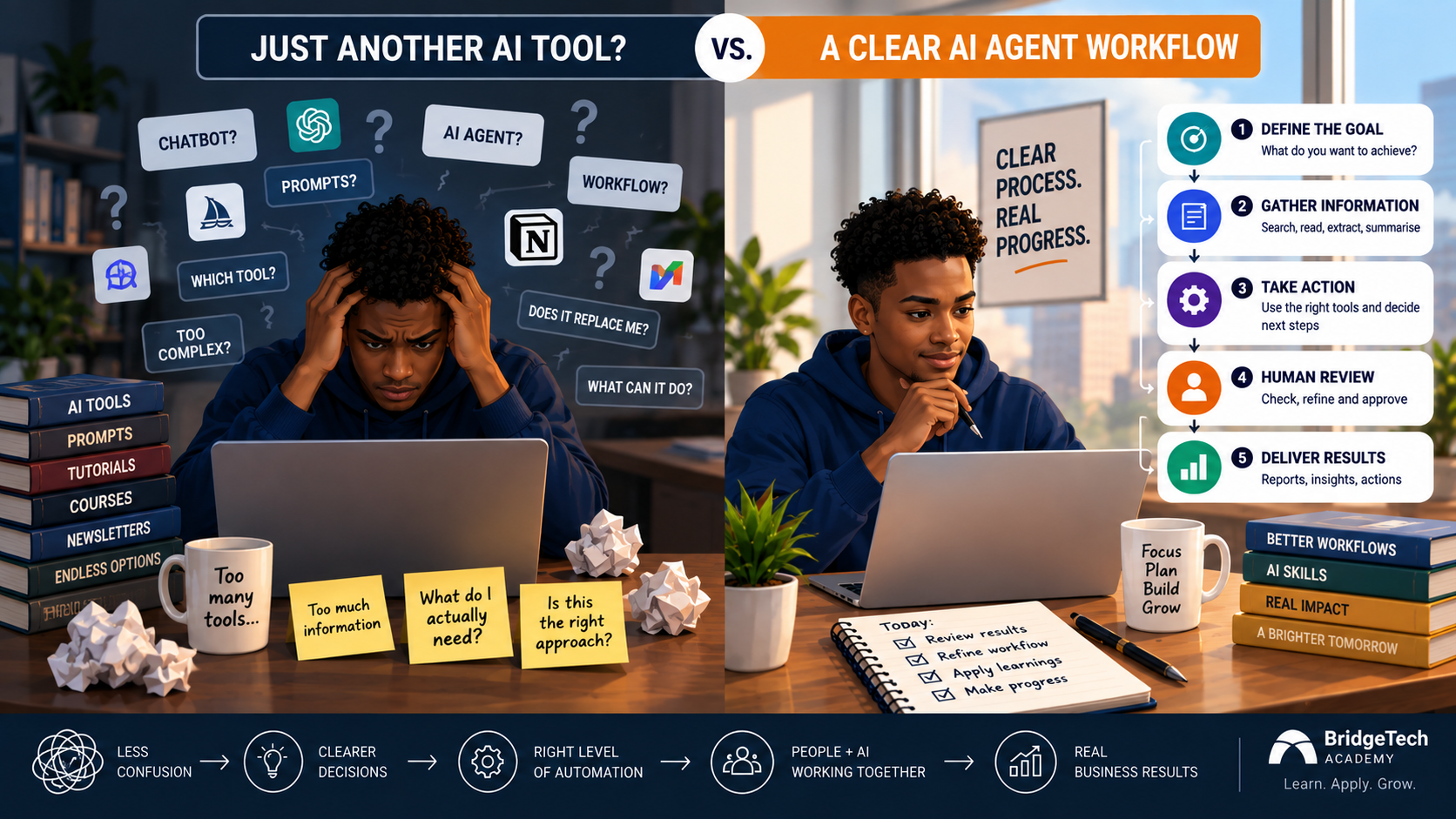
Ask five people in the same meeting what an “AI agent” is, and you’ll probably get five different answers. One says it’s a chatbot with a slightly better memory. Another says it’s a fully autonomous system making decisions with no human in the loop. A third points to “the thing we built with ChatGPT last quarter.” Most of that confusion comes down to one question: AI agent vs workflow, which one are you actually building?
That’s not a small semantic problem. If you don’t know which one you’re actually building, you can’t know what guardrails it needs, and that’s where things go wrong. So before you spend a sprint (or a budget line) on “building an agent,” it’s worth getting the distinction straight.
Here’s the short version: A workflow tells AI how a process should move. An agent is given a goal and decides how to move through multiple steps to reach it.
Think workflow before you think agent
Say a customer enquiry comes in. A workflow might look like this:
Receive enquiry — classify it — extract customer information — draft a response — human approves — send.
Every step is known in advance. Nothing here needs to “decide” much of anything it just needs to execute reliably.
Now compare that to a different kind of task:
“Research this potential client, work out whether they fit our ideal customer profile, identify recent developments, prepare a briefing, and recommend what our sales team should discuss.”
Here, the system has to figure out things nobody specified up front: what information is worth looking for, which sources are trustworthy, whether it has enough to work with, and how to structure what it finds. That’s the AI agent vs workflow distinction in practice: one follows a known path, the other has to find its own.
If you’re newer to AI tools generally and this distinction still feels abstract, the beginner’s guide to using AI at work is a good place to build that foundation before tackling agentic concepts.
AI agent vs workflow: the autonomy ladder
It helps to think of AI systems on a spectrum, rather than as a binary “assistant or agent” choice:
- AI assistant — you ask, it responds.
- AI workflow — a defined sequence that processes information, step by step.
- Agentic workflow — AI makes limited decisions inside an otherwise fixed workflow.
- AI agent — AI is given a goal and works out the steps needed to reach it.
- Multi-agent system — several specialised agents coordinate across a larger process.
Google Cloud’s own breakdown of agent types draws a similar line from single agents working independently on well-defined tasks up to multi-agent systems that coordinate to tackle more complex ones. The mistake most teams make isn’t picking the wrong rung; it’s jumping straight to level five when level two would have done the job just fine, cheaper and with far less to go wrong.
Start with the job description, not the word “agent”
“I want an AI agent” isn’t a project. It’s a mood. What actually gets built is something much more specific, so start there instead:
“Every Monday, review our approved project updates, compare them with the previous week’s report, identify significant changes, flag missing information, and prepare a management briefing for review.”
Break that down, and you already have a real design brief:
- Trigger: Monday
- Inputs: project updates + previous report
- Actions: compare, identify, flag, draft
- Output: management briefing
- Human checkpoint: final review before it goes out
That’s something you can actually scope, build, and test, which “build me an agent” never was.
Don’t hand an agent unlimited authority
The more autonomy a system has, the more its boundaries matter, not less. Before deploying anything past a basic workflow, define first what information it can access then what tools it’s allowed to use, what actions it can actually take, when it must stop and ask for approval, what counts as a successful outcome and what it should do when information is missing
This isn’t overcaution for its own sake. Microsoft’s guidance on maturing agent adoption inside organisations treats clear human-agent decision boundaries and defined success criteria as foundational to deploying agents responsibly not as optional extras bolted on after the fact.
The takeaway
Before you commission or build an “AI agent,” write down the job in plain language: the trigger, the inputs, the actions, the output, and where a human needs to sign off. If you can’t write that paragraph, you don’t have an agent project yet. You have an idea. And if the job description you end up with is actually a fixed, predictable sequence, you probably don’t need an agent at all. In most AI agent vs workflow decisions, a workflow will do the job more reliably, for less effort.
If you want a gentler entry point before wading into agent design, building your first AI assistant without writing code walks through the basics without requiring a technical background.
If you’re ready to put that into practice with structured, applied AI learning not theory, but real skills for real work AI Bridge was built exactly for this. Start your AI Bridge journey
