


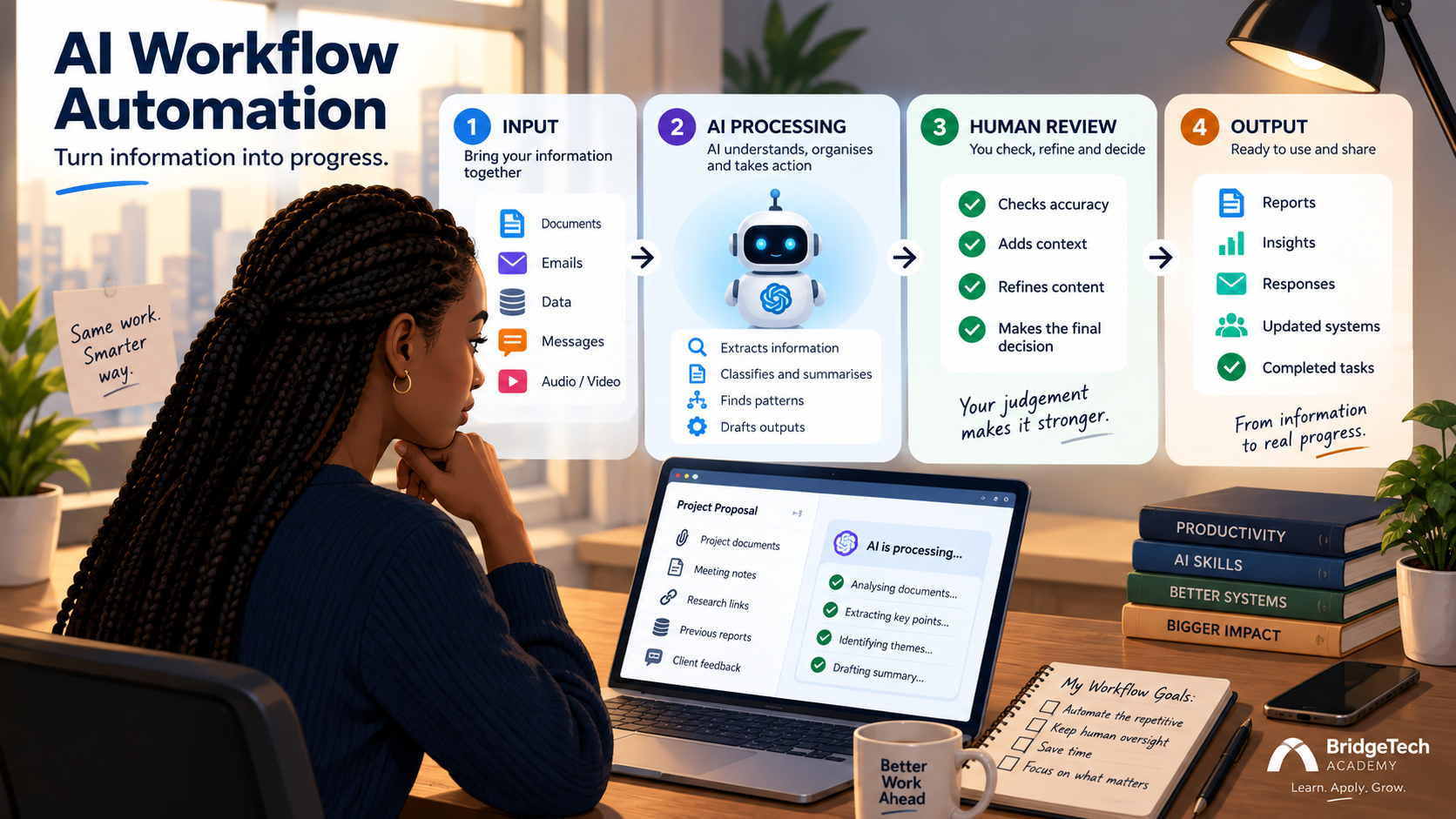
AI workflow automation sounds useful right up until you ask the obvious follow-up: which work, exactly? Most advice stops at “use AI to save time” without ever naming a real process, which leaves you with a tool and no idea what to point it at.
That’s usually where the advice runs out. Most of it stops at “use AI to save time” without ever naming a real process, which leaves you with a tool and no idea what to point it at.
A better question to start with is this: which repeatable process is eating my time because I have to constantly read, classify, summarise, compare, draft, or shuffle information between steps? That’s the shape of task where AI genuinely earns its place not because it’s exciting, but because it’s exactly the kind of repetitive, information-heavy work AI is good at and humans find draining.
Based on survey data from 20,000 workers across ten countries, Microsoft’s Work Trend found something worth sitting with: the people getting the most out of AI at work aren’t the ones using it the most often. They’re the ones who deliberately decide what should be done by AI versus by a person, rather than reaching for AI by default. That distinction is the whole point of this blog. Here are six places to actually apply it.
1. Meeting (Action list)
The old process looks like this: a meeting happens, someone gets a transcript, that same someone reads the whole thing, writes notes, extracts action items, and sends a follow-up email. All of that, for every meeting.
An AI workflow can turn it into: transcript to extract decisions to identify actions to assign owners to draft follow-up to human review.
2. Weekly updates (Management report)
Picture collecting written updates from five people every Friday afternoon. Instead of reading each one line by line, AI can collect them, extract the key developments, compare them against last week’s report, flag what’s changed or what’s missing, organise the findings, and draft the report itself.
3. Customer enquiry (Triage)
A shared inbox is a surprisingly good candidate for this. An incoming enquiry can move through: received • classified • relevant information extracted • urgency identified • routed • response drafted.
Nobody has to sort every single message manually, but anything sensitive or unusual can still be flagged and escalated to a person.
4. Research (Briefing)
“Research” looks like one task, but it’s actually several stacked on top of each other: find information, filter sources, extract the relevant points, compare them, organise the findings, and write it up.
AI can genuinely help across most of those stages; for example, monitoring a defined set of sources, identifying relevant developments, and producing a structured weekly briefing automatically.
5. Content source (Content pipeline)
One webinar, report, or interview can become the raw material for several different pieces of content.
This works better than the generic “give me 20 content ideas” approach, because the source material acts as a grounding layer. The AI isn’t inventing content from nothing.
If you’re building out this kind of workflow for the first time and want a lower-stakes place to practise, building your first AI assistant without writing code is a useful starting point before you wire up something this multi-step.
6. Documents (Structured information)
Think invoices, applications, forms, or project documents. Instead of someone manually reading every one and transferring the details into another system, the workflow becomes: document- extract fields – classify – validate – route – human approval.
This is especially useful when the input is messy, but the output needs to be clean and structured.
AI Workflow Automation Still Needs Human Checkpoints
For anything higher-impact, place that checkpoint deliberately before execution starts, whenever ambiguity shows up partway through, or right before an output actually goes out the door. That’s the difference between automation that’s genuinely usable and automation that quietly becomes a liability nobody’s watching.
The best first workflow is probably the boring one
The point of AI workflow automation isn’t to make every part of your job autonomous. It’s to remove unnecessary friction while keeping people in control of the decisions that matter. Look at your calendar. Look at your inbox. Look at the spreadsheet you update every single Monday without fail. Look at the report you rebuild from scratch every month.
Then ask yourself: what am I repeatedly doing that could be turned into a defined process?
If you’re ready to put that into practice with structured, applied AI learning not theory, but real skills for real work AI Bridge was built exactly for this. Start your AI Bridge journey

1 Comment
Pingback: AI Tool Sprawl: The 5-Minute Test Before You Add Another - The BridgeTechAcademy Blog